Black Friday is on Friday 27 November 2026 and Cyber Monday on 30 November, but UK shops have already cut prices on gaming keyboards, mice and headsets. Overclockers UK says its Black Friday deals started on Monday 2 November, and Corsair's own UK store has early discounts too. The useful question is not "how big is the discount?" but "is this actually cheaper than usual?". UK price tracker VantaSpec checks every cut against what the product has cost over the previous 90 days, and its page (updated 20 November at 08:43) marks many peripheral deals as real lows. Forge PC hasn't tested these products, and the prices below are approximate, recorded on 19 and 20 November 2026; they can change at any moment, so check the listing before you buy.
Keyboards
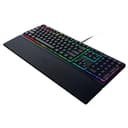
VantaSpec lists 142 keyboard price cuts. The ones it flags as real 90-day lows include:
Keyboard | Approx. price (20 Nov 2026) | Price before cut | Shop |
|---|
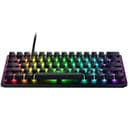
Razer Huntsman V3 Pro Mini | £89.99 | £179.99 | Overclockers UK |
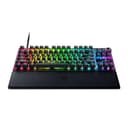
Razer Huntsman V3 Pro TKL (analog optical) | £114.95 | £218.99 | Overclockers UK |
MSI FORGE GK600 TKL Sky (wireless, hot-swappable) | £44.99 | £79.99 | MSI |
Logitech G213 Prodigy | £29.99 | £59.99 | Currys |
In VantaSpec's "prices to watch" list, the Razer BlackWidow V4 X (about £74.99, usual price £109.00), the Razer Ornata V3 (about £39.98, usual £63.49) and the ASUS ROG Azoth 75% wireless (about £178.99, usual £218.99) were all at their lowest price in 90 days.
From Corsair's own UK store, Mediaberry reported on 19 November that the K70 CORE TKL was £69.99 (was £89.99) and the K70 CORE TKL Wireless £89.99.
Not sure which layout or switch type you want? Our guides to TKL vs full-size vs 75% keyboards and Hall effect vs mechanical switches explain the differences; the Huntsman V3 Pro TKL listing specifies Razer's analog optical switches.
Mice
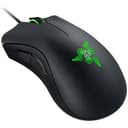
VantaSpec lists 163 mouse price cuts. Real lows include:
Mouse | Approx. price (20 Nov 2026) | Price before cut | Shop |
|---|
Logitech G502 HERO (wired) | £22.99 | £49.99 | Currys |
Corsair SABRE v2 PRO Ultralight Wireless | £39.99 | £89.99 | Currys |
HyperX Pulsefire Haste 2 Wireless (white) | £44.99 | £94.99 | Currys |
Razer DeathAdder Essential (wired) | £14.99 | £29.99 | Overclockers UK |
Not every listing is a bargain. VantaSpec showed the Razer Viper V3 Pro SE at about £69.97, which it says is simply its usual price, and the Razer DeathAdder V4 Pro at about £139.00, also its usual price, with a lower 90-day low of £129.00.
Corsair's UK store, per Mediaberry, had the M55 Wireless at £29.99 (was £44.99), the IRONCLAW Wireless SE at £54.99 (was £79.99) and the KATAR ELITE Wireless at £39.99 (was £69.99). If you're deciding between cable and battery, see wired vs wireless gaming mice.
Headsets
VantaSpec lists 125 headset cuts. Real lows include:
Headset | Approx. price (20 Nov 2026) | Price before cut | Shop |
|---|
HyperX Cloud Alpha (wired) | £42.99 | £89.99 | Currys |
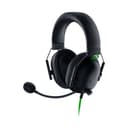
Razer Kraken Kitty V2 BT (Quartz) | £46.97 | £99.99 | Currys |
Corsair HS35 v3 Wireless | £39.99 | £69.99 | Currys |
HyperX Cloud III (wired) | £49.99 | £85.00 | HyperX |
Razer Barracuda X Chroma (wireless) | £69.98 | £118.99 | Scan |
Sony INZONE H9 II | £159.00 | £300.00 | Currys |
Two to be careful with: VantaSpec had the ASUS TUF Gaming H3 at about £47.99, higher than its usual £39.98, and the Razer BlackShark V2 X at about £31.99, below its usual price but above its 90-day low of £29.95. Corsair's own store had the HS80 MAX Wireless at £99.99 (was £139.99), per Mediaberry.
For help choosing, see our best gaming headsets and wired vs wireless gaming headsets.
How to tell whether a peripheral deal is real
Ignore the "was" price. A shop's previous price can be a short-lived high. Compare with a price history instead; our guide to checking Black Friday PC deals shows how.
Check the exact model. Peripherals come in many near-identical versions (wired and wireless, TKL and full-size, colour variants, UK and US layouts). Make sure the listing matches the one you've researched. Corsair's store, for example, lists UK and EU versions of some products.
Check UK layout. A cheap keyboard with a US or German layout will have a different Enter key and symbol positions.
Know the returns rules. Several UK retailers have Black Friday price promises and extended returns; we've rounded them up in Black Friday price guarantees in the UK.
Our verdict
The strongest-looking peripheral deals a week before Black Friday are the ones VantaSpec flags as real 90-day lows: the Razer Huntsman V3 Pro Mini at about £89.99, the Logitech G502 HERO at about £22.99 and headsets such as the HyperX Cloud Alpha at about £42.99. Some "deals" are just usual prices, so compare with a price history before you buy. Prices were recorded on 19 and 20 November 2026 and are approximate; they may fall further, or rise, by 27 November. For our picks regardless of price, see our best gaming keyboards and best gaming mice.