It contains no scan-speed figures of our own. It's based on the official WinDirStat and JAM Software TreeSize websites, checked on 26 November 2026.
When an SSD fills up, Windows' own Storage settings only tell you so much. A disk space analyser scans a drive and shows exactly which folders and files are taking the room, so you can decide what to move or delete. WinDirStat and TreeSize Free are two of the best-known free options for Windows. For a wider round-up, see our best free disk space analysers, and for Windows' built-in tools, how to free up disk space in Windows 11.
Quick comparison
| WinDirStat | TreeSize Free |
|---|
Developer | Open-source project | JAM Software |
Licence | Free, open source (GNU GPL v3 or later) | Free for private use in a non-commercial environment |
Platform | Windows | Windows desktop |
What it scans | Multiple folders, drives, network shares or MTP devices | Your PC's drives; JAM says TreeSize Free isn't usable on Windows Server |
Visualisations | Treemaps, sunbursts, flame graphs, largest files and file types | Explorer-like tree view, plus pie, bar and treemap charts |
Duplicates | Duplicate search using content hashes | Not in Free: duplicate search starts with the paid Personal edition |
Reports | Save and reopen scan snapshots, export CSV/JSON reports | PDF reports of disk space usage; custom PDF, Excel and HTML exports are in Professional |
Upgrade path | None needed: everything is free | TreeSize Personal and TreeSize Professional (paid, with a 14-day free trial) |
WinDirStat: free, open source and packed with features
WinDirStat describes itself as a free, open-source disk usage analyser and cleanup assistant for Windows, distributed under the GNU GPL v3 or later, with its source code and issue tracker on GitHub.
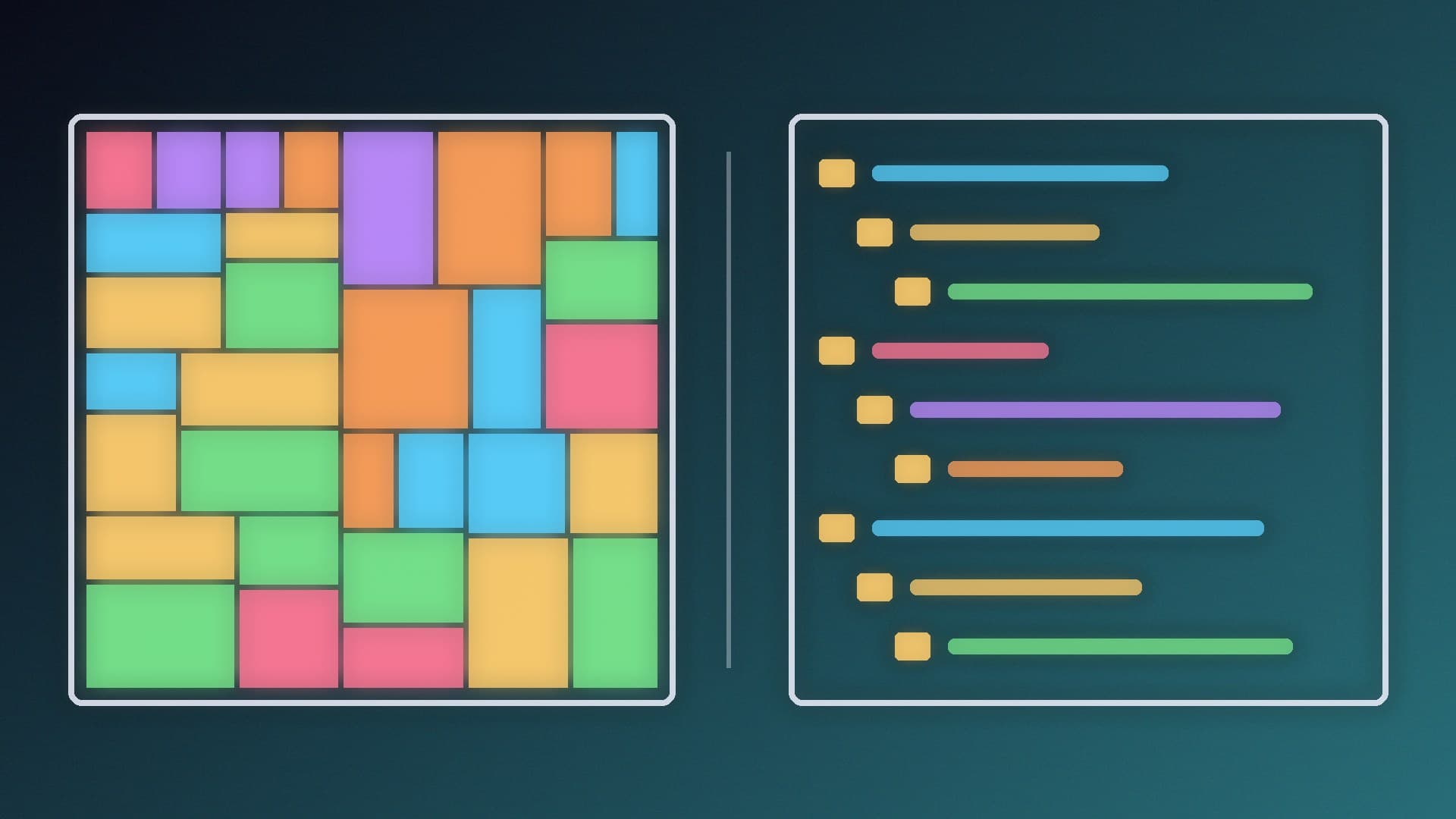
Its signature feature is the treemap, where every file is a rectangle: the area shows its size, the colour shows its file type, and nesting shows the folder structure. The current version adds sunburst and flame-graph views, a Largest Files list and a file-type breakdown, and you can compare logical and physical sizes.
WinDirStat can scan several folders or drives at once, as well as network shares and MTP devices such as phones. Its site says you can elevate (run as administrator) for accelerated scans of local NTFS drives. Beyond finding space, it can search by name, size, type or owner, look for duplicates by comparing content hashes, inspect permissions, save scan snapshots, export CSV or JSON reports, automate scans and watch file-system changes. It also includes cleanup tools and an option to attempt recovery of deleted files from local NTFS, exFAT and FAT drives.
WinDirStat's own advice is sensible: review items in Explorer before you clean anything up, then refresh the results. It also supports dark mode and portable settings.
TreeSize Free: a familiar Explorer-style view
TreeSize Free is the free edition of JAM Software's TreeSize. JAM says it's for private use in a non-commercial environment, so businesses should look at the paid TreeSize Personal or Professional editions instead, both of which have a 14-day free trial.
TreeSize uses a Windows Explorer-like interface: you see your folders sorted by size, with pie, bar and treemap charts. JAM lists three things for the Free edition: one-click visualisation of storage space down to file level, a treemap chart of used disk space, and PDF reports of disk space usage. JAM also says all TreeSize editions run entirely locally, on-premise, and that TreeSize Free is meant for personal use on desktop systems, not Windows Server.
Several features on JAM's TreeSize page belong to the paid editions: TreeSize Personal adds a top-largest-files filter, duplicate search and comparing disk usage over time, while Professional adds command-line and task scheduler options and custom PDF, Excel and HTML exports. If you only need to find what's filling your C: drive at home, TreeSize Free covers that; if you need reporting and automation, you'd be looking at a paid upgrade, whereas WinDirStat includes duplicate search, reports and automated scans for free.
Which should you use?
Choose WinDirStat if you want a completely free, open-source tool with no licence limits, rich visualisations, duplicate search, reports and cleanup tools in one place. It's also the safer choice for use at work, because its GPL licence doesn't restrict commercial use.
Choose TreeSize Free if you're a home user who prefers a simple Explorer-style list of folders sorted by size, and you might want TreeSize's paid features later.
Whichever you pick, don't delete anything inside Windows, Program Files or ProgramData just because it's large. Use Windows' own tools such as Storage Sense for system clutter, and uninstall apps properly rather than deleting their folders. If your drive is simply too small, a bigger SSD is the real fix: see how to clone an SSD with free tools.
Our verdict
For most people, WinDirStat is the better free disk space analyser: it's open source, free for any use, and includes treemaps, duplicate search, reports and cleanup tools at no cost. TreeSize Free is a tidy, Explorer-style alternative for home users, but it's licensed for private, non-commercial use only, and features such as duplicate search need a paid edition.