A portable monitor is a thin, light screen that runs from a single cable, which makes it handy as a second screen for a laptop, a temporary display for a new PC build or a travel screen for a games console. We haven't included prices because Black Friday (27 November 2026) is moving them daily.
Quick picks
| ZenScreen MB166CR | ZenScreen Touch MB16AMT | ZenScreen Duo OLED MQ149CD |
|---|
Best for | Simple second screen | Touch and battery power | Two screens in one |
Panel | 15.6in IPS, anti-glare | 16in (15.6in viewable) IPS, anti-glare, 10-point touch | Two 14in OLED panels, glossy |
Resolution | 1920 x 1080 | 1920 x 1080 | 1920 x 1200 (each panel) |
Refresh rate | 60Hz | 60Hz | 60Hz |
Brightness (typ.) | 250cd/m² | 250cd/m² | 400cd/m² (500cd/m² HDR peak) |
Inputs | 1x USB-C (DP Alt Mode) | 1x USB-C (DP Alt Mode), 1x micro-HDMI | 2x USB-C (DP Alt Mode), 1x mini-HDMI |
Battery | No | 7,800mAh | No |
Weight | 0.78kg | 0.9kg | 1.07kg |
All three are 60Hz screens, so they're better suited to work, reference windows and casual play than fast competitive gaming.
Before you buy: check your ports
The MB166CR has only a USB-C input, and ASUS lists it as DP Alt Mode. That means the USB-C port on your laptop or PC has to carry a DisplayPort video signal; not every USB-C port does, especially on desktop motherboards. If you're unsure, check your laptop or motherboard manual, or pick a model with an HDMI input as well. Our USB4 vs Thunderbolt 5 explainer covers what different USB-C ports can do, and our guide to setting up dual monitors in Windows 11 shows how to arrange the extra screen once it's connected.
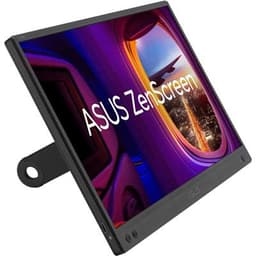
Best simple second screen: ASUS ZenScreen MB166CR
The MB166CR is the most basic of the three, and that's its appeal. ASUS lists a 15.6-inch 1080p IPS panel with an anti-glare surface, 250cd/m² typical brightness, 800:1 contrast and a 5ms grey-to-grey response time. It weighs 0.78kg, has a quarter-inch tripod socket and comes with a ZenScreen sleeve, a USB-C cable and a 360-degree kickstand. ASUS rates power consumption at 5.24W.
There's no HDMI input, no speakers and no battery, so it depends on a USB-C port that outputs video.
Choose it if your laptop or PC has a USB-C port with DisplayPort output and you want the lightest, simplest extra screen.
Best for flexibility: ASUS ZenScreen Touch MB16AMT
The MB16AMT adds three things the MB166CR lacks: 10-point touch, a built-in 7,800mAh battery and a micro-HDMI input alongside USB-C. ASUS says the battery provides up to four hours of use, and it lists the monitor as compatible with laptops, smartphones, games consoles and cameras. It also has two 1W speakers, and ASUS includes a ZenScreen pen, a power adapter, a micro-HDMI to HDMI cable and a smart case.
The panel itself is similar to the MB166CR's: ASUS calls it 16-inch (15.6-inch viewable), with a 1080p IPS panel, 250cd/m² typical brightness, 700:1 contrast and 60Hz. ASUS notes that 10-point touch depends on the operating system and is supported on Windows, Chrome and Linux, with single-point touch on macOS.
Choose it if you want HDMI as well as USB-C, plan to use it with a console or desktop graphics card, or want to run it from its own battery.
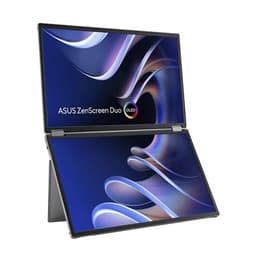
Best for productivity: ASUS ZenScreen Duo OLED MQ149CD
The MQ149CD folds two 14-inch OLED panels into one unit. ASUS describes it as a 20-inch workspace, with each panel running at 1920 x 1200 (16:10), 100% DCI-P3 colour coverage, a Delta E below 2 and DisplayHDR 400 True Black. It has a 360-degree hinge, a fold-out kickstand for landscape or portrait use and a tripod mount. Connections are two USB-C ports with DP Alt Mode and a mini-HDMI port.
ASUS says a single USB-C cable can carry both power and video, but also notes that the screen limits its brightness unless the power adapter is plugged in, so it doesn't draw more power than the laptop can supply. At 1.07kg it's the heaviest here, and ASUS lists a glossy (glare) display surface rather than the anti-glare finish of the two IPS models.
Choose it if you want two extra screens for spreadsheets, code or editing, and you're happy to use the power adapter for full brightness.
Our verdict
For most people who want an extra screen for a laptop, the ASUS ZenScreen MB166CR is the simplest choice, as long as your USB-C port outputs video. The ZenScreen Touch MB16AMT is the more flexible pick thanks to its HDMI input, touch screen and built-in battery. The ZenScreen Duo OLED MQ149CD is the productivity option, giving you two 14-inch OLED panels in one fold-out unit. All three are 60Hz screens, so look at our best 1080p gaming monitor guide if gaming is the main job.