Apps such as ComfyUI, Invoke and Krita AI Diffusion are only half of a local image generation setup. The other half is the model you load into them, and that choice decides how much graphics memory you need, what the results look like and whether you're allowed to use the pictures commercially. This guide picks the open-weight image models most worth running on a Windows or Linux PC, based on each model's official model card and licence.
If you're still choosing the app, start with our best local AI image generator apps guide; if you're choosing hardware, see best GPU for local AI image generation.
Our picks at a glance
Model | Best for | Size (official) | Licence | Memory guidance (official) |
|---|
FLUX.2 [klein] 4B | Most people | 4 billion parameters | Apache 2.0 | About 13GB VRAM |
FLUX.2 [klein] 9B | Higher quality on 24GB cards | 9 billion parameters | FLUX Non-Commercial | About 24GB (BFL help centre) to 29GB (model card) |
Qwen-Image | Text in images | 20B parameters | Apache 2.0 | Not stated on the model card |
FLUX.2 [dev] | Biggest GPUs and experimentation | 32 billion parameters | FLUX Non-Commercial | 4-bit example for RTX 4090 |
SDXL 1.0 | Low VRAM and the largest add-on library | Not stated on the model card | CreativeML Open RAIL++-M | Not stated on the model card |
Stable Diffusion 3.5 Medium | A small, newer Stability model | Hugging Face lists 2B parameters | Stability Community License | Not stated on the model card |
Licences matter: "open weights" doesn't always mean free for business use. Read the full licence before you sell images or build a product on any of these models.
Best for most people: FLUX.2 [klein] 4B
Black Forest Labs describes the FLUX.2 [klein] family as its fastest image models to date, combining image generation and editing in one compact model. The 4B version is a 4-billion-parameter rectified flow transformer that handles text-to-image and multi-reference editing, and BFL's model card says it runs on consumer graphics cards with about 13GB of VRAM, naming the RTX 3090 and RTX 4070 as examples. BFL's help centre says [klein] accepts up to four reference images.
The licence is the big advantage: the 4B model is released under Apache 2.0, and BFL says that means you can use it commercially with no fees or approvals. BFL also says the undistilled Base version is the right starting point for fine-tuning, and that klein 4B can be trained on an NVIDIA card with 12GB of VRAM and 32GB of system RAM. ComfyUI's documentation lists FP8 versions of the 4B models alongside its workflows.
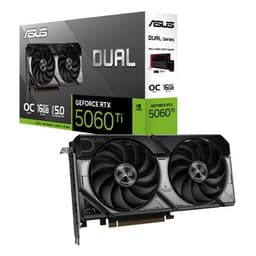
A 16GB card such as the ASUS RTX 5060 Ti 16GB Dual OC comfortably clears BFL's 13GB guideline. Our step-by-step guide shows how to run FLUX.2 klein locally.
Best for 24GB cards: FLUX.2 [klein] 9B
The 9B model is BFL's larger [klein] model, a 9-billion-parameter version with the same generation and multi-reference editing features. BFL's help centre describes it as higher quality than the 4B and says it requires about 24GB of VRAM, while the Hugging Face model card says it fits in about 29GB and is accessible on an RTX 4090 and above. Plan for a 24GB or 32GB card rather than a 16GB one.
The catch is the licence. The 9B weights are released under the FLUX Non-Commercial License, and BFL says commercial use of the local weights requires a licence. For fine-tuning, BFL suggests about 22GB of VRAM and 64GB of system RAM. Our best 24GB graphics cards for local AI guide covers suitable cards.
Best for text in images: Qwen-Image
Qwen-Image is an image generation foundation model in the Qwen series. Its model card highlights "complex text rendering and precise image editing", with particular strength in Chinese text, which makes it the one to try if you want posters, signs or labels with readable lettering. Hugging Face lists it at 20B parameters, and it's released under Apache 2.0, so commercial use is allowed under that licence's terms.
At 20B parameters it's a large model, so it suits cards with plenty of memory, or quantised versions; Hugging Face lists 44 quantisations of it in the model tree. Our guides to running ComfyUI on low VRAM and fixing CUDA out-of-memory errors help when a model only just fits.
Best for the biggest GPUs: FLUX.2 [dev]
FLUX.2 [dev] is BFL's 32-billion-parameter open-weight model for generating, editing and combining images from text instructions, with support for up to six reference images according to BFL's help centre, which lists it for local development and research. Its model card points consumer-GPU users such as RTX 4090 and RTX 5090 owners to a 4-bit quantised setup with a remote text encoder, which tells you how demanding the full model is.
Like klein 9B, it uses the FLUX Non-Commercial License, so it's best treated as a model for experimentation and personal projects. If you want to run it, a 32GB card such as the NVIDIA GeForce RTX 5090 Founders Edition gives you the most room; see best 32GB graphics cards for local AI.
Best for low VRAM and add-ons: SDXL 1.0
Stability AI's SDXL 1.0 is the oldest model here, but it remains useful. Its model card describes a base model that can be used on its own or with a separate refiner model, and it's released under the CreativeML Open RAIL++-M licence. The model card also shows a CPU offloading option for when you're limited by GPU memory.
Its biggest strength is the ecosystem: when we checked, Hugging Face listed 9,859 adapter models and 1,244 fine-tunes built on SDXL base, far more than for the newer models in this guide. If you want a particular style via a LoRA, there's a good chance one exists. Our SDXL vs FLUX.2 klein comparison explains when the older model still makes sense, and how to use LoRA in ComfyUI shows how to add one.
Also consider: Stable Diffusion 3.5 Medium
Stable Diffusion 3.5 Medium is a newer Stability model that Hugging Face lists at 2B parameters, using what Stability calls an MMDiT-X architecture. Stability says it improves image quality, typography, complex prompt understanding and resource efficiency. It's released under the Stability Community License, which is free for research, non-commercial use and commercial use by organisations or individuals with less than $1M in total annual revenue; above that, you need a commercial licence from Stability. Its model card also shows how to quantise it with bitsandbytes to cut VRAM use. Its add-on library is much smaller than SDXL's (124 adapters listed on Hugging Face when we checked).
How to choose
8GB to 12GB of VRAM: start with SDXL, or try SD 3.5 Medium. Larger models need quantised versions and offloading; see running ComfyUI on low VRAM.
16GB: FLUX.2 [klein] 4B is the obvious choice, with SDXL for LoRA-based styles.
24GB to 32GB: add FLUX.2 [klein] 9B and Qwen-Image, and experiment with quantised FLUX.2 [dev].
Commercial work: FLUX.2 [klein] 4B and Qwen-Image (Apache 2.0) have the simplest licences. Check the Stability Community License revenue limit for SD 3.5, the OpenRAIL++-M terms for SDXL, and avoid the non-commercial FLUX.2 models unless you buy a licence.
Not sure how much memory you have to work with? Our how much VRAM do you need guide explains the basics.
Our verdict
FLUX.2 [klein] 4B is the best local image model for most PC owners: it's modern, handles both generation and editing, runs within about 13GB of VRAM by BFL's figures, and its Apache 2.0 licence allows commercial use. Choose Qwen-Image if readable text in images matters, klein 9B or FLUX.2 [dev] if you have a 24GB-plus card and only need non-commercial use, and SDXL if you have limited VRAM or want the widest choice of LoRAs and fine-tunes.