AI image captioning turns a picture into text: a sentence describing it, or a list of tags. It's essential if you're training a LoRA or fine-tuning an image model, and it's handy for alt text and searchable photo archives too. You don't need a paid cloud service to do it. These free tools and models run on your own PC, so your images stay private and you're not paying per image. We've picked the best for different jobs, using each project's official documentation. All of them are free.
Quick picks
Pick | Best for | Output | Licence |
|---|
TagGUI | Best overall app (no coding) | Runs the models below, writes .txt files | GPL-3.0 |
Florence-2 | Best lightweight captioner | Natural-language captions, plus detection and OCR | MIT |
JoyCaption Beta One | Best detailed, controllable captions | Natural-language captions, prompts and tag lists | Apache-2.0 code; no separate model licence stated |
WD EVA02-Large Tagger v3 | Best for booru-style tags | Comma-separated tags with ratings and characters | Apache-2.0 |
kohya-ss sd-scripts tagger | Best for scripted batch tagging | Tag .txt files from the command line | See repository |
1. TagGUI: best overall captioning app
TagGUI is a free, cross-platform desktop app for adding and editing image tags and captions, aimed at people building datasets for generative AI. It's our top pick because it combines AI captioning with the editing tools you need afterwards. Load a folder and TagGUI reads and writes a .txt file beside each image, saving every change automatically.
Its Auto-Captioner supports a range of models, including Florence-2, Florence-2-base-PromptGen, WD Tagger v3 models, moondream2 and JoyCaption (with 4-bit loading since v1.33.0). You can steer captions with a custom prompt, force a fixed opening (ideal for a trigger word), discourage words like "appears" or "possibly", and exclude specific tags. After that, filters such as tokens:>75, bulk tag renaming and deletion, Find and Replace and a Stable Diffusion token counter make clean-up quick.
Watch out for: GPU captioning needs an NVIDIA card, according to the README; other cards fall back to the slower CPU. There's no ready-made macOS build. The latest release, v1.34.0, dates from October 2025 and dropped the CogVLM-family models. Our TagGUI auto-captioning guide walks through it step by step.
2. Florence-2: best lightweight captioner
Microsoft's Florence-2 is a small "vision foundation model" that does several jobs from short task prompts. For captioning, <CAPTION>, <DETAILED_CAPTION> and <MORE_DETAILED_CAPTION> give three levels of detail. The same model also handles object detection, OCR and phrase grounding. Microsoft says it was trained on its FLD-5B dataset of 5.4 billion annotations across 126 million images.
It comes in Base (0.23 billion parameters) and Large (0.77 billion) sizes, plus fine-tuned "-ft" variants. That makes it tiny by modern AI standards: Microsoft's sample code even falls back to the CPU if there's no GPU. The Large model card lists the MIT licence.
Watch out for: you pick one of three fixed caption lengths rather than describing the style you want. Loading it through Hugging Face Transformers needs trust_remote_code=True, so stick to the official Microsoft repositories.
3. JoyCaption Beta One: best detailed captions
JoyCaption is a free, open captioning model built specifically for people training diffusion models. It's based on Meta's Llama 3.1 8B Instruct and Google's SigLIP2 vision encoder, according to its model card. The developer's stated goal is captioning "near or on-par with GPT4o". It offers far more control than Florence-2: descriptive and straightforward captions (the two modes the developer rates most useful), Stable Diffusion and MidJourney-style prompts, several tag-list formats and extras such as naming a character, describing lighting and camera angle, or noting watermarks.
Watch out for: it's big. The developer says it needs about 17GB of video memory at bfloat16 and "runs comfortably on 24GB and up GPUs", though 8-bit and 4-bit loading cut that. It's also deliberately uncensored, trained on adult as well as safe-for-work images, so add its "keep it PG" option for general datasets. The model card doesn't state a licence of its own, and it's built on Llama 3.1, so check Meta's terms for commercial use. See JoyCaption vs Florence-2 for a full comparison.
SmilingWolf's WD Tagger models don't write sentences. They output tags in the Danbooru style that many anime-focused image models use for prompts. The EVA02-Large Tagger v3 supports rating, character and general tags. Its model card says it was trained on Danbooru images, with tags up to 28 February 2024, and is Apache-2.0 licensed.
It's practical, too. The ONNX version needs onnxruntime 1.17.0 or newer, supports batch inference and is compatible with code written for the v2 models. The developer recommends using tagged releases rather than the latest repository files, as the repo is "subject to change and updates".
Watch out for: the tags reflect Danbooru's anime-focused vocabulary, so it's a poor fit for captioning family photos or product shots. Use Florence-2 or JoyCaption for those.
5. kohya-ss sd-scripts tagger: best for scripted batch tagging
If you already train with kohya-ss sd-scripts, its tag_images_by_wd14_tagger.py script runs SmilingWolf's WD models from the command line with no GUI. Install onnx and onnxruntime-gpu, then point it at your training folder with --onnx, a --repo_id such as SmilingWolf/wd-swinv2-tagger-v3 and a --batch_size. It downloads the model on the first run and writes a .txt tag file next to each image.
The options are aimed at training: --thresh sets the confidence cut-off (default 0.35; lower gives more tags but less accuracy), --undesired_tags blocks tags, --always_first_tags puts chosen tags first, --recursive covers subfolders and --append_tags adds to existing files. The documentation says to adjust batch size to your video memory.
Watch out for: if you don't pass --repo_id, it uses the older SmilingWolf/wd-v1-4-convnext-tagger-v2 model. For a beginner-friendly front end, see our Kohya_ss vs OneTrainer comparison.
What hardware do you need?
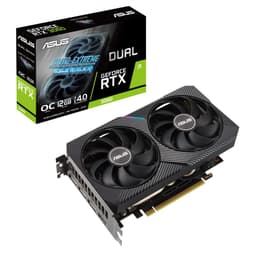
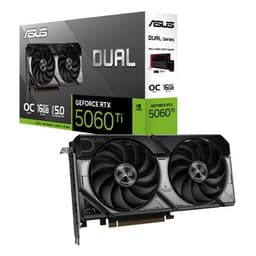
None of these developers publishes a full GPU requirements table, so these are our suggestions. Florence-2 and the WD taggers are light and run on almost any recent graphics card, or slowly on the CPU. A 12GB card such as the ASUS RTX 3060 12GB Dual Gaming OC V2 is a comfortable starting point if you want to try several models in TagGUI. For JoyCaption with 8-bit or 4-bit loading, we'd look at 16GB, such as the ASUS RTX 5060 Ti 16GB Dual OC. For full-precision JoyCaption you need 24GB or more; the 32GB NVIDIA GeForce RTX 5090 Founders Edition is the top-end consumer option. NVIDIA matters here because TagGUI's GPU captioning only supports NVIDIA cards. For more help choosing, see our best GPU for local AI image generation guide, which covers video memory for image-model workloads in more depth.
Also consider
General-purpose vision chat models, such as those in our best local vision models guide, can describe images and answer questions about them through apps like Ollama. They're more flexible for one-off questions but less suited to batch-captioning a training set. If you need to pull text out of scanned documents rather than describe pictures, see our best free OCR software round-up.