A depth map turns a flat photo into information about distance: what's near the camera and what's far away. You need one for ControlNet depth guidance in ComfyUI, 3D parallax effects, background blur, 3D reconstruction and even robotics projects. You don't need a cloud service to make them. These free models and tools run on your own PC, most of them on an ordinary Nvidia graphics card. Our picks are based on each project's official documentation, features and licence.
Our picks at a glance
Pick | Best for | Licence | Developer |
|---|
Depth Anything 3 | Best overall, photos and 3D | Apache 2.0 or CC BY-NC 4.0, depending on model | ByteDance Seed |
ComfyUI-DepthAnythingV3 | Best for ComfyUI and ControlNet | MIT (nodes) | PozzettiAndrea |
Depth Anything V2 | Easiest setup and smallest model | Small Apache 2.0; others CC BY-NC 4.0 | Depth Anything team |
Video Depth Anything | Best for long videos | Small Apache 2.0; others CC BY-NC 4.0 | ByteDance |
Apple Depth Pro | Sharp metric depth from one photo | Apple's own licence | Apple |
Best overall: Depth Anything 3
Depth Anything 3, released on 14 November 2025, is the most versatile option here. Its developers say it significantly outperforms Depth Anything V2 for single-image depth, and its main models can also take several photos or video frames at once to produce consistent depth plus estimated camera poses. Outputs include depth images, glb and ply files, point clouds and 3D Gaussians.
There are seven models, from DA3-Small (0.08 billion parameters) to DA3Nested-Giant-Large (1.40 billion). For everyday single-image depth maps, DA3Mono-Large is the dedicated choice and is Apache 2.0 licensed; DA3Metric-Large gives real-world distances, also under Apache 2.0. The Large, Giant and Nested models are non-commercial (CC BY-NC 4.0). It comes with a Python API, a da3 command line tool and an optional Gradio web interface. Our step-by-step guide to running Depth Anything 3 locally covers installation.
Watch out for: use the -1.1 checkpoints, which the developers retrained after fixing a training bug.
Best for ComfyUI and ControlNet: ComfyUI-DepthAnythingV3
If your main goal is depth guidance for image generation, these community nodes bring DA3 into ComfyUI without writing code. Install them from ComfyUI Manager by searching for "Depth Anything V3", or clone them into custom_nodes and run the install script. As well as depth maps, the nodes support multi-view attention for smoother video depth and can turn depth into 3D point clouds.
For ControlNet, the developer recommends the Mono or Metric models (which add sky segmentation) with the default V2-Style normalisation. Note that the one-click install uses an experimental package that downloads the pixi package manager; the developer calls the manual install the most reliable. Our guides to installing custom nodes and using ControlNet in ComfyUI explain the workflow.
Easiest setup: Depth Anything V2
Depth Anything V2 is older (June 2024) but still the simplest to get going. It's built into Hugging Face Transformers, so the depth-estimation pipeline gives you a depth map in a few lines of Python, and kijai's ComfyUI-DepthAnythingV2 node downloads its models automatically. The official repository includes scripts for images and videos plus a local Gradio demo.
The Small model has just 24.8 million parameters, and the sample code falls back to Apple's MPS or your CPU if there's no CUDA GPU, so it suits older or low-power PCs. Only Small is Apache 2.0, though; Base and Large are non-commercial. See our Depth Anything V2 vs Depth Anything 3 comparison for the full picture.
Best for long videos: Video Depth Anything
Running a single-image model on each video frame can cause flicker, as depth jumps around from frame to frame. Video Depth Anything, built on Depth Anything V2 and presented as a highlight at CVPR 2025, is designed for consistent depth across arbitrarily long videos. There are Small (28.4M), Base (113.1M) and Large (381.8M) models for relative depth, plus metric versions of each, and it can save depth as NPZ or EXR files for compositing.
The developers' own figures, measured on an Nvidia A100 with a 32-frame 518 x 518 input, show the Small model using 6.8GB of VRAM in FP16 and the Large model 23.6GB. That makes Small the realistic choice on most gaming cards. An experimental streaming mode is also available. As with V2, only the Small model is Apache 2.0.
Sharp metric depth: Apple Depth Pro
Apple's Depth Pro produces metric depth (real distances in metres) from a single image without needing to know the camera's focal length, which it estimates itself. Apple says it produces a 2.25-megapixel depth map in 0.3 seconds on a standard GPU, with particularly sharp edges. Install it with pip in a Python 3.9 environment, download the checkpoint with the supplied script, and run depth-pro-run on an image.
Apple notes that the public model is a retrained reference version whose performance is close to, but doesn't exactly match, the paper. It's released under Apple's own licence rather than a standard open-source one, so read the terms before using it commercially.
What hardware do you need?
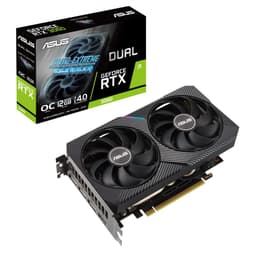
None of these projects publishes a minimum VRAM figure for single images, apart from Video Depth Anything's A100 measurements above. Most of the models are small by AI standards: the largest single-image models here are around 0.35 billion parameters, apart from DA3's Giant and Nested models. As our suggestion, a 12GB Nvidia card such as the ASUS RTX 3060 12GB Dual OC V2 is enough to start with, while a 16GB card like the MSI RTX 5070 Ti 16GB Ventus 3X OC gives you room for the bigger DA3 models and video work alongside an image generator. Our best GPU for ComfyUI guide goes further.