Meta's Segment Anything models (SAM 2, SAM 3 and the newer SAM 3.1 checkpoints) can mask objects in photos and track them through video, and SAM 3 can find every object that matches a short text phrase. You don't have to write your own code to use them. Several free tools wrap the models in Python libraries, desktop labelling apps or ComfyUI nodes. We've picked the best options for different jobs using each project's official documentation. The feature details below come from their developers.
Our picks at a glance
Tool | Best for | Models supported (per developer) | Interface |
|---|
Meta SAM 3 repository | Full feature set and the newest code | SAM 3, SAM 3.1 | Python and notebooks |
Ultralytics | Easiest Python route | SAM 3 (3.1 for images), SAM 2, SAM, MobileSAM, FastSAM | Python |
X-AnyLabeling | Desktop annotation without code | SAM 1/2/3/3.1, SAM-HQ, EdgeSAM and more | Desktop app |
ComfyUI-SAM3 | Image and video creators using ComfyUI | SAM 3 | ComfyUI nodes |
Label Studio ML backend | Team image labelling projects | SAM 2 | Web app plus model server |
A note on access: SAM 3 and SAM 3.1 weights are gated on Hugging Face, so whichever tool you use, you'll need to request access from Meta and wait for manual approval first. SAM 2 checkpoints can be downloaded directly.
Meta's own GitHub repository is the reference implementation, and it gets new features first. It supports text prompts, example-box prompts, clicks and masks on images, and text-prompted tracking with click refinements on video. Example notebooks cover batched inference, SAM 3.1 video tracking and the SAM 3 Agent, which handles longer, more complex descriptions. When Meta released SAM 3.1 in March 2026, it said you need the latest repository code to use the new checkpoints.
Meta lists Python 3.12 or newer, PyTorch 2.7 or newer and a CUDA-compatible GPU with CUDA 12.6 or newer. That's a developer-oriented setup, but it's the best choice if you want every feature. Our step-by-step guide on how to run SAM 3 locally covers it. The SAM 2 repository works the same way for the older model and adds four checkpoint sizes from 38.9M to 224.4M parameters.
Best Python shortcut: Ultralytics
The Ultralytics package, best known for its YOLO detection models, has SAM 3 built in. You install it with pip install -U ultralytics and then use a SAM3SemanticPredictor for text and exemplar prompts, or the SAM3VideoPredictor and SAM3VideoSemanticPredictor classes to track objects in video by box or text prompt. Its examples include a quantize option for FP16 inference.
There are two caveats in the Ultralytics docs. Unlike its other models, SAM 3 weights aren't downloaded automatically, so you have to fetch sam3.pt yourself once Meta has approved your access. And the SAM 3.1 checkpoint is supported for image prediction only for now; Object Multiplex video tracking isn't supported yet, so keep using sam3.pt for video. Ultralytics' model docs also cover SAM 2, the original SAM, MobileSAM and FastSAM, which is handy if you want to compare models with the same code.
Best desktop app: X-AnyLabeling
X-AnyLabeling is a free, GPL-3.0-licensed desktop annotation tool that describes itself as cross-platform. It's the most complete no-code option here. Its model list includes SAM 1, 2, 3 and 3.1, plus SAM-HQ, SAM-Med2D, EdgeSAM and EfficientViT-SAM, along with YOLO detectors, OCR, depth estimation and vision language models. In November 2026 the developers added SAM 3.1 Video support, with text-prompted multi-object tracking and interactive point segmentation.
It can run models locally through engines including ONNX Runtime and TensorRT, or connect to remote inference servers, and it imports and exports common dataset formats such as COCO, VOC, YOLO and MASK. That makes it a strong choice if you're building a training dataset for your own detector, or for a project such as Frigate local AI object detection.
Best for ComfyUI users: ComfyUI-SAM3
ComfyUI-SAM3 is a community custom-node pack that brings SAM 3's open-vocabulary image and video segmentation, using natural-language text prompts, into ComfyUI. It also includes a SAM3PointsEditor node for point-based segmentation, adapted from kijai's KJNodes. That's useful for masking a subject before inpainting, relighting or upscaling, alongside workflows such as SeedVR2 video upscaling in ComfyUI.
The developer recommends installing through ComfyUI Manager by searching for SAM3, with a Git URL or manual install as fallbacks. The README warns that the one-click installer uses an experimental package that downloads the pixi package manager, so if you'd rather keep your setup tidy, use the manual install. Make sure ComfyUI is current first: see how to update ComfyUI.
Best for team labelling: Label Studio with the SAM 2 ML backend
Label Studio is a web-based data labelling platform, and its documentation includes a tutorial for connecting SAM 2 through the Label Studio ML backend. You run SAM 2 as a model server, set the model configuration and checkpoint (SAM 2 Large by default), then link it to a labelling project so annotators get model-assisted masks. Label Studio's documentation says SAM 2 runs only on a GPU, and that CUDA is currently the only supported device for the model server.
It's more setup than a desktop app, but it suits teams who need several people working on the same dataset. The tutorial covers SAM 2 rather than SAM 3.
Also consider: CVAT
CVAT offers a SAM 2 tracker that follows existing polygons and masks forward through video frames. The AI agent version runs the model on your own hardware via Docker and works with CVAT Online and Enterprise, with an Nvidia GPU optional for faster inference. You still need a CVAT account or Enterprise instance, so it isn't fully self-contained.
What hardware do you need?
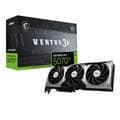
None of these projects publishes a minimum VRAM figure. Meta's SAM 3 instructions list a CUDA-compatible Nvidia GPU, and the Label Studio SAM 2 backend is GPU-only, so an Nvidia card is the safest choice. We'd suggest a 16GB card such as the MSI RTX 5070 Ti 16GB Ventus 3X OC for comfortable SAM 3 video work, though SAM 2.1's smaller checkpoints run on much more modest cards. These are our suggestions, not developer requirements. Our guide to the best Nvidia graphics cards for local AI has more options.
If you only want to remove the background from a photo, a dedicated app is simpler: see our pick of the best AI background remover apps for PC.