The memory shortage has made solid-state storage expensive again. On 15 November 2026, SpecPrice's cheapest 1TB NVMe SSD at the UK shops it tracks was about £110. For the same money you can now buy a 2TB hard drive, and a 4TB drive costs about £160. A hard drive will not load games like an SSD, but as a second drive for your archive, media library, backups or older games it is back to being very good value.
Forge PC has not tested these drives. The picks below use manufacturer specifications from Seagate and Western Digital, and UK prices from Scan's hard drive listings, checked on 15 November 2026. Prices are approximate and change often.
Quick picks
Pick | Drive | Recording | Approx. UK price (15 November 2026) |
|---|
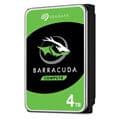
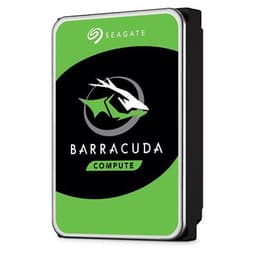
Cheapest 4TB | Seagate BarraCuda 4TB (ST4000DM004) | SMR | about £160 |
Best all-rounder | Seagate IronWolf 4TB (ST4000VN006) | CMR | about £178 |
Best WD alternative | WD Red Plus 4TB (WD40EFPX) | CMR | about £209 |
Most capacity for the money | Seagate BarraCuda 8TB (ST8000DM004) | SMR | about £250 |
Biggest desktop drive | Seagate BarraCuda 20TB (ST20000DM001) | CMR | about £660 |
All prices are from Scan's hard drive category page on 15 November 2026.
First, the CMR vs SMR catch
Hard drives write data in one of two ways. CMR (conventional magnetic recording) drives write tracks side by side. SMR (shingled magnetic recording) drives overlap tracks to fit more data in, which can make them slow down during long or random writes.
Seagate's own CMR/SMR list is clear about which of its drives use which. It lists the 3.5-inch BarraCuda 4TB and 8TB as SMR, while the 12TB to 24TB BarraCuda models are CMR, and every IronWolf capacity from 2TB to 16TB is CMR. Seagate says SMR suits workloads that are "sequential or easily sequentialised", such as large media repositories and backups where data is "written once and read occasionally".
That is exactly how most people use a second drive in a gaming PC, so SMR is fine for a game archive or film collection. If you will copy large amounts of data often, use the drive for backups of a busy PC, or put it in a NAS, pay a little more for CMR.
Cheapest 4TB: Seagate BarraCuda 4TB
At about £160 (around £40 per TB), the BarraCuda 4TB was the cheapest 4TB 3.5-inch drive we found at Scan. Seagate describes the BarraCuda family as its desktop range, with what it calls Multi-Tier Caching Technology, and sells it from 500GB to 24TB.
It is a 5,400rpm drive according to Scan's listing, and SMR according to Seagate. Choose it if you want the most space for the least money for media and games you rarely reinstall.
Best all-rounder: Seagate IronWolf 4TB
For about £178, only £18 more than the BarraCuda at Scan, the IronWolf 4TB gets you CMR recording. Seagate rates IronWolf drives for up to 180TB per year of workload, describes them as designed for 24x7 operation in multi-bay NAS systems, and includes three years of Rescue Data Recovery Services with every IronWolf drive.
You do not need a NAS to use one. It works as a normal SATA drive in a desktop, and it is the pick if your second drive will see regular heavy writes, such as video projects or PC backups.
Best WD alternative: WD Red Plus 4TB
The WD Red Plus 4TB was about £209 at Scan. Western Digital says WD Red Plus drives use CMR, are rated for 180TB per year, are aimed at one- to eight-bay NAS setups and come with a three-year limited warranty. It costs more than the IronWolf here, so buy it if you prefer WD or find it cheaper elsewhere.
If you simply want a WD desktop drive, the WD Blue 4TB (WD40EZAX) was about £186 at Scan. WD's Blue range includes both CMR and SMR models and carries a two-year limited warranty; WD's UK model list shows the 4TB WD40EZAX as CMR, but check the recording type for any other part number before you buy.
More capacity: BarraCuda 8TB and 20TB
At about £250, the BarraCuda 8TB works out at roughly £31 per TB, the lowest cost per terabyte among the drives we priced. Like the 4TB model, Seagate lists it as SMR. The IronWolf 8TB (ST8000VN002), which Seagate lists as CMR, was about £310 at Scan.
If you need one very large drive, the BarraCuda 20TB was about £660 (around £33 per TB). Seagate lists the 20TB BarraCuda as CMR, so it avoids the SMR trade-off.
How to choose
Our verdict
For most PC owners who need cheap space for games, media and backups, the Seagate IronWolf 4TB, at about £178 on 15 November 2026, is the best all-round hard drive because it uses CMR recording for only a little more than the SMR BarraCuda 4TB (about £160). If you only store files you rarely change, the BarraCuda 8TB offers the lowest cost per terabyte we found, at about £250. Forge PC has not tested these drives; recommendations are based on manufacturer specifications and UK prices on 15 November 2026.