The instinct, when games start to look messy or a new title wants more than you have, is to rebuild the whole PC. Sometimes that is right. In mid-November 2026 it is often the expensive way to solve a graphics problem, because a new processor now tends to arrive with a new motherboard and a kit of dear DDR5.
This is a practical how-to, not a review of every part on the market. Forge PC has not used this piece to lab-test hardware. It walks through the decisions in the order we would make them, using official power and socket facts and the UK market as it stood on 12 November 2026.
Ask what is actually annoying you.
If frame rates in modern games are the issue, especially at 1440p or 4K, the graphics card is usually the first place to spend. If the machine stutters when you have a browser and Discord open, or you are using an old 8GB or 16GB kit, memory may be the cheaper fix — if your board can take more of the same type. If exports, compiles or video encodes are slow, look at the processor, but only after you have priced the board and RAM that may have to come with it. If the PC shuts down or crashes under load after you add a new GPU, check the power supply before anything else.
A useful rule: change one constraint at a time, and measure the result. Swapping the GPU, RAM, CPU and PSU in a single afternoon makes it very hard to know what helped, and much easier to leave a cable half-seated.
Path 1: Upgrade the graphics card only
This is still the upgrade most gamers should look at first. A current mid-range card — in the UK in mid-November, something like an RX 9070 or a 16GB RX 9060 XT if the budget is tighter — is usually the biggest single upgrade for a machine whose CPU is only “good enough”. Our separate graphics card guide covers the shortlist and the prices; the job here is to make sure the rest of the PC will accept the new card.
Check the power supply. Official NVIDIA required system power figures, quoted for a PC with a Ryzen 9 9950X, are 550W for an RTX 5060, 600W for an RTX 5060 Ti, 650W for an RTX 5070, 750W for an RTX 5070 Ti, 850W for an RTX 5080 and 1,000W for an RTX 5090. AMD recommends a 650W PSU for the RX 9070. If your unit is a no-name 500W of uncertain age, replace it before the new card, not after the first crash. NVIDIA recommends a PCIe CEM 5.1-compliant PSU for RTX 50-series cards, so prefer a modern ATX 3.1 supply with a proper 12V-2x6 cable; if you use an adapter, push it fully home and do not bend it tightly at the connector.
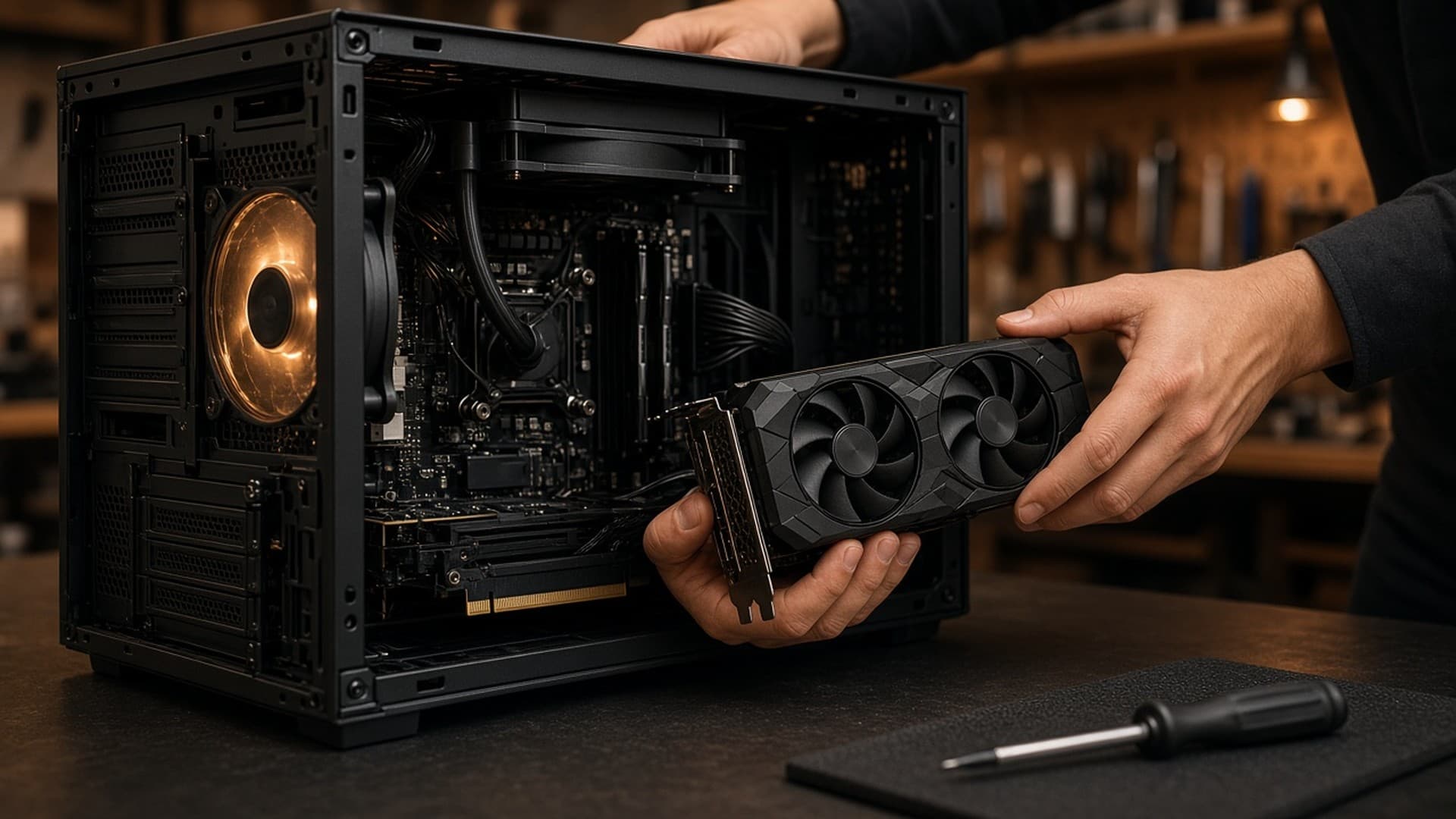
Check physical fit. Measure the case, the length of the card you are buying, and how many slots the cooler uses. High-end partner cards can be long and thick. Confirm you have a free PCIe x16 slot (the long one, usually on the top of the board) and that a hard drive cage or radiator is not in the way.
Check the cable plan. Reseat the PCIe power connectors, use the cables that came with the PSU rather than cheap adapters from the back of a drawer, and do not daisy-chain power if the card asks for two separate leads.
Check the rest of the system is not a surprise limit. An old, low-core-count CPU can hold back a new mid-range GPU in some titles, especially at 1080p, where the processor matters more. That is not a reason to panic-buy a new platform on the same day, but it is a reason to be honest: if you were already planning a CPU upgrade, do the PSU and case homework once.
When you fit the card: power down, unplug the mains lead, and hold the power button for a few seconds to drain leftover charge. Ground yourself on the case metal. Undo the old card's slot latch and any rear-bracket screws, lift it out, fit the new card firmly in the x16 slot until the latch clicks, fix the bracket, attach power, then install the correct driver — a clean install of AMD Software or the NVIDIA App, not a mix of both.
This is the path the 2026 memory market has made respectable again.
AM4 (Ryzen 1000 through 5000, DDR4). A Ryzen 7 5800X3D is the usual last serious gaming upgrade; Club386 calls it the best DDR4 gaming CPU and the best gaming upgrade for an ageing AM4 board. Check your board maker's CPU support list first, because support depends on the board and its BIOS. You keep your DDR4. You need a cooler that can handle a 105W chip, and you should update the BIOS before you swap the processor if the board did not originally list the new model.
LGA 1700 (12th to 14th-generation Intel). Many of these boards take DDR4 or DDR5, depending on the model you bought. A Core i7-14700K can be a strong multi-thread upgrade, but it runs hot (Club386 lists a 253W maximum TDP) and it needs the latest BIOS with Intel's microcode fixes for the Raptor Lake Vmin-shift stability problem. Do not drop a 14th-generation K chip into an old BIOS and hope. Recheck cooler clearance and paste while you are in there.
More of the same RAM. If you have two empty slots, add a matched kit of the same generation, speed and preferably the same model. Do not mix DDR4 with DDR5 — they will not fit, which is a helpful way of preventing a worse mistake. On DDR5 especially, two sticks are easier to run at the rated EXPO or XMP speed than four, which is why a 2x16GB kit is a better 32GB plan than 4x8GB.
Update the BIOS only from the motherboard maker's support page, on a stable power supply, and follow that board's USB-BIOS or in-UEFI method. Do not walk away mid-flash.
Do this when the current socket genuinely cannot take a faster chip, or when you are building a machine you want to keep upgrading into the late 2020s.
AM5 is the more future-proof of the two new sockets. It needs DDR5, a 600- or 800-series board, and a cooler that lists AM5 support. AMD said at Computex 2026 that it would support the socket through 2029, and AMD documentation reported in August lists the forthcoming Zen 6 “Olympic Ridge” desktop chips for AM5. Individual boards will still need a BIOS update from their maker to run them. That is the main reason to accept today's DDR5 prices if you are starting fresh. Budget the memory on the same day as the CPU; a 32GB kit is no longer a small extra.
LGA 1851 is Intel's current desktop socket for Core Ultra 200S and 200S Plus chips, also DDR5 only. It is a fine platform on the day you buy it, particularly if you want a high core count for work, but it is a weaker long-term bet because Intel's next family, Nova Lake, is widely expected to move to a new LGA 1954 socket. Intel has not confirmed that.
A platform swap is, in practice, a new PC around the case and drives you keep. Plan it as:
Price the CPU, board and a two-stick DDR5 kit together.
Confirm the cooler has a kit for the new socket, or budget a new cooler.
Confirm the PSU can feed the new CPU and a future GPU, not just the chip in the box today.
Back up the old drive, or plan a clean Windows install, which is the less painful option when you change the motherboard.
Move drives and the GPU last, once the new board posts with one stick of RAM and a display output.
If the quote for CPU, board and DDR5 is close to the value of your whole PC, consider keeping the old platform and putting that money into a graphics card instead. That is not a cop-out; it is what the November 2026 price list is telling you.
A short safety checklist
Back up first. An upgrade is a bad moment to discover the only copy of your files was on the drive you just formatted.
Unplug the PSU from the wall, then discharge the system, before you touch sockets or PCIe slots.
Work on a non-carpeted surface, and do not force a CPU into the socket. AM5 and LGA chips sit in; they are not press-fit puzzles.
Use a modest, even amount of thermal paste, and do not reuse a dried pad from an old cooler.
After first boot, install chipset drivers from the motherboard maker, then the GPU drivers, then enable EXPO or XMP if you bought a kit that needs it.
If it does not post, strip back to CPU, one RAM stick in the slot the manual calls the first one, and onboard or GPU display output only.
Upgrade the part you can feel, keep the platform you already paid for if it still has a sensible next chip, and only buy into AM5 or LGA 1851 when you have priced the memory that has to come with it. That is a less exciting shopping list than a full rebuild, and in this market it is usually the better one.