Inkling 2 Mini is Thinking Machines Lab's new open model for local AI. It's a mixture-of-experts (MoE) model of about 26 billion parameters that accepts both text and images, supports a context of up to 1 million tokens and is released under the Apache 2.0 licence. Hugging Face describes it as designed for local AI setups.
This guide shows two ways to run it on a Windows PC with an NVIDIA or AMD graphics card: the Unsloth Desktop app, and llama.cpp's own server. For background on the model and its memory needs, see our report Inkling 2 Mini: what you need to run it.
How much memory you need
You'll download a quantised GGUF version of the model, which shrinks it to fit in less memory. Unsloth gives these rough requirements, counting your graphics card's memory (VRAM) plus system RAM together:
Quantisation | Memory needed (RAM + VRAM) |
|---|
1-bit | 9GB |
2-bit | 10-11GB |
3-bit | 13-15GB |
4-bit | 17-18GB |
8-bit | 24GB |
Unsloth recommends its 4-bit UD-Q4_K_XL file, which is 17.63GB. It says longer contexts, image inputs and other apps can use more memory, and the vision projector file adds 639MB. Hugging Face's recommended IQ4_NL file from ggml-org is a different 4-bit version, which it says fits in 32GB of GPU memory or unified memory.
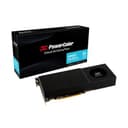
In practice, a 24GB or 32GB graphics card gives you the most room. Cards such as the NVIDIA GeForce RTX 5090 Founders Edition and the PowerColor AI Pro R9700 32GB have 32GB. With a 16GB card, part of a 4-bit model will sit in system RAM, which is slower. Our VRAM guide explains how this works.
Which apps support it
Not every local AI app could run Inkling 2 Mini on a PC when we checked:
llama.cpp supports it, according to Hugging Face, and Unsloth says its GGUF files now load in mainline llama.cpp.
Unsloth Desktop runs it on NVIDIA and AMD hardware, according to Unsloth.
Ollama's version 0.40.17 release notes say Inkling 2 Mini is supported on Apple silicon only, with PC support to follow in an upcoming release. The 0.40.18 notes, published on 24 November 2026, list only Mac-side Inkling improvements.
Method 1: Unsloth Desktop
This is the simplest route if you don't want to use the command line much.
Install Unsloth Desktop. Download it for Windows from Unsloth's website, or open a terminal and run Unsloth's WinGet command:
winget install --id UnslothAI.Unsloth -e
Download the model. In the app's Chat view, open Select model or go to the Model hub. Search for Inkling 2 Mini, choose unsloth/Inkling-2-Mini-GGUF and download the quantisation that fits your PC.
Start chatting. Once it has downloaded, select the model in Chat. You can also load a compatible Inkling 2 Mini GGUF from your own files.
Unsloth Desktop can also serve the model to other apps through its own API; Unsloth's guide shows the unsloth run command for this. We covered Unsloth Desktop's support for AMD Ryzen AI NPUs in Unsloth Desktop adds AMD NPU support.
Method 2: llama.cpp server
This gives you more control and an OpenAI-compatible server that other apps can use. If you're new to llama.cpp, our guide on how to run llama.cpp on Windows covers the basics.
1. Get a llama.cpp build that supports Inkling 2 Mini. Unsloth's guide links to its own prebuilt Windows build (b12649-mix-c7059d6), which it says decodes faster in its benchmarks. For NVIDIA cards, it uses the CUDA 12 portable build and tells you to install NVIDIA's CUDA toolkit first; with CUDA 13 you swap cuda12-portable for cuda13-portable. For AMD, swap it for rocm-gfx120X (Radeon RX 9000) or the build for your GPU, and use the vulkan build for other GPUs. In PowerShell, Unsloth's NVIDIA example is:
curl.exe -L -o llama.zip https://github.com/unslothai/llama.cpp/releases/download/b12649-mix-c7059d6/app-b12649-mix-c7059d6-windows-x64-cuda12-portable.zip
Expand-Archive llama.zip -DestinationPath llama.cpp
.\llama.cpp\llama-server.exe --version
2. Download the model files. Unsloth's guide uses Hugging Face's hf tool, which you install with Python's pip. It downloads the 4-bit model, the vision projector and a small draft model used to speed up generation:
pip install -U huggingface_hub
hf download unsloth/Inkling-2-Mini-GGUF Inkling-2-Mini-UD-Q4_K_XL.gguf mmproj-F16.gguf dspark-Inkling-2-Mini-Q8_0.gguf --local-dir Inkling-2-Mini-GGUF
Our guide to downloading models from Hugging Face explains the hf tool in more detail.
3. Start the server. Unsloth's Windows PowerShell command is:
.\llama.cpp\llama-server.exe `
    --model Inkling-2-Mini-GGUF/Inkling-2-Mini-UD-Q4_K_XL.gguf `
    --mmproj Inkling-2-Mini-GGUF/mmproj-F16.gguf `
    --model-draft Inkling-2-Mini-GGUF/dspark-Inkling-2-Mini-Q8_0.gguf `
    --spec-type draft-dspark --spec-draft-n-max 2 --n-gpu-layers-draft 99 `
    --temp 1.0 --top-p 1.0 --top-k 0 --min-p 0.0 `
    --host 127.0.0.1 --port 8080
4. Open the chat page. Go to http://127.0.0.1:8080 in your browser to chat or upload an image.
Unsloth's notes on adjusting that command:
The --model-draft and --spec-type draft-dspark options turn on speculative decoding with the 0.4GB DSpark draft model. To run without it, leave out the draft file and those lines.
For text-only chat, skip the projector download and remove --mmproj.
If you run out of memory, reduce --ctx-size or --n-gpu-layers. Our guide to fixing CUDA out of memory errors has more tips.
Hugging Face's launch post also gives a shorter command for the llama.cpp-based Llama app's command-line tool, llama serve -hf ggml-org/Inkling-2-Mini-GGUF:IQ4_NL, which serves its recommended IQ4_NL file from Hugging Face.
Recommended settings
Unsloth recommends a temperature of 1.0, top-p of 1.0, top-k of 0 and min-p of 0.0, which is what the commands above use.
Our verdict
The easiest way to run Inkling 2 Mini on a Windows PC is Unsloth Desktop: install it, search for unsloth/Inkling-2-Mini-GGUF in the Model hub and download the quantisation that fits your PC. For more control, use a llama.cpp build with Inkling support and Unsloth's llama-server command, then chat at 127.0.0.1:8080. Plan on about 17-18GB of combined VRAM and RAM for the recommended 4-bit version, so a 24GB or 32GB graphics card is ideal. Ollama didn't yet support it on PCs when we checked. We haven't tested these steps ourselves.