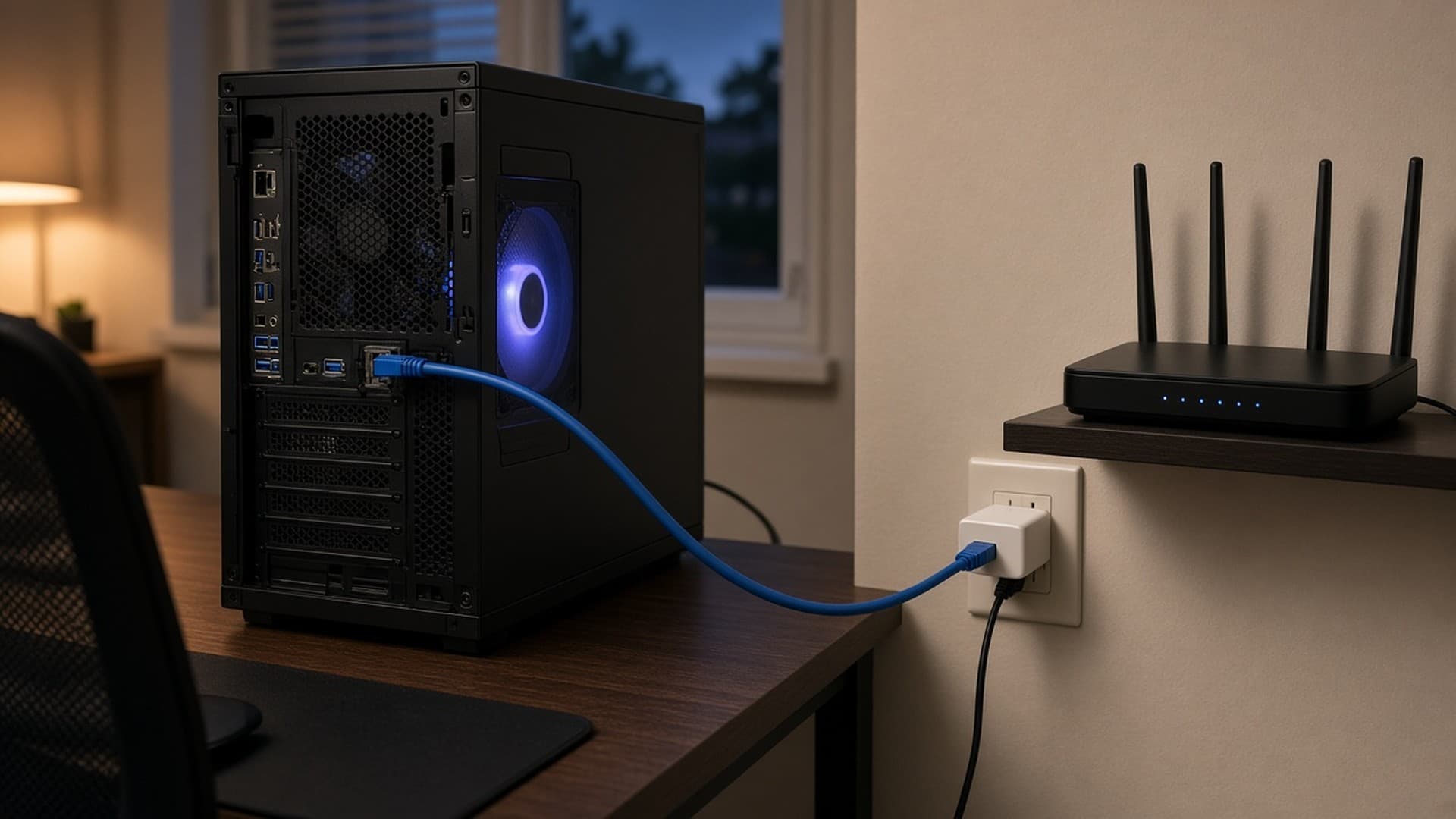
A fast graphics card can't fix a laggy connection. For online games, a stable, responsive connection matters more than your broadband's headline speed, and how your PC connects to the router makes a big difference.
This guide compares the three main options for UK homes. Forge PC hasn't run its own network tests. The guidance below is based on Ofcom's advice for consumers and TP-Link's support documentation, both credited at the end. Prices are general ranges quoted in Ofcom's guide (checked 12 November 2026), not current deals, and are approximate.
The quick answer
| Ethernet cable | Wi-Fi (including mesh) | Powerline |
|---|
Stability | Best | Varies with distance, walls and interference | Varies with your home's wiring |
Setup | Cable needs routing | Easiest | Plug in, but needs suitable sockets |
Cost | Cheap cable; more if professionally installed | Free with your router; mesh kits extra | Ofcom says from around £20 |
Best for | Competitive gaming, big downloads | Laptops, rooms where cables aren't practical | Rooms far from the router where cabling isn't possible |
If you can run a cable, use one. If you can't, try Wi-Fi first, and consider powerline or mesh when Wi-Fi isn't good enough.
Ethernet: the reliable option
A wired connection between your PC and the router avoids the main problems with wireless: walls, distance and interference. Ofcom says Ethernet cables often provide a better connection than Wi-Fi, and advises using a cable that can support your broadband speed. That's why a cable is the usual choice for competitive gaming and for downloading very large game files.
Downsides: running a cable upstairs or through walls can be awkward. Flat cables can run under carpets or along skirting boards, and an electrician can install wall sockets if you want a tidy permanent solution.
Wi-Fi: convenient, but it depends on your home
Modern Wi-Fi can be very fast, and many motherboards include it. But speed and responsiveness depend on how far you are from the router and what's in between.
Ofcom's tips for better Wi-Fi include:
Place the router centrally and off the floor, for example on a shelf, and away from radiators and fish tanks, because water, metal and glass block the signal.
Keep it away from electrical equipment that can interfere, such as microwave ovens, baby monitors, fairy lights and cordless phones.
Consider upgrading an older router, especially if you get frequent disconnections. Your broadband provider may be able to send a newer one.
Wi-Fi extenders can help with coverage, but Ofcom warns they can affect speed and responsiveness. Mesh systems use several units placed around the home to create one network. Ofcom says mesh starter kits cost anywhere from around £60 to over £200.
If your PC doesn't have built-in Wi-Fi, or it's an older standard, a PCIe or USB wireless adapter is an option. Your router also has to support the newer standard to get the full benefit.
Powerline: using your mains wiring
Powerline adapters send network data through your home's electrical wiring. You plug one adapter in near the router and connect it with a cable, then plug another in near your PC.
The good: Ofcom describes powerline as relatively inexpensive, from around £20, and setup is usually simple.
The catches:
Real speeds are much lower than the box suggests. TP-Link's UK support page says actual throughput is typically around 20–30% of the rate printed on the box, because of overheads and conditions in real homes.
Your wiring matters. Ofcom notes that how well powerline works depends on your electrical wiring, and TP-Link says household wiring is the main reason real speeds fall short.
Plug them straight into the wall. TP-Link advises against plugging adapters into extension leads, power strips or surge protectors, and says appliances with motors and some chargers can cause interference.
Buy adapters with the CE mark. Ofcom advises buying only CE-marked powerline adapters and extenders.
Which should you choose?
Choose Ethernet if: you play competitive online games, stream your gameplay, or download large games regularly, and you can run a cable.
Choose Wi-Fi if: your PC is reasonably close to the router, or you've improved coverage with a mesh system, and you mainly play casually.
Choose powerline if: your PC is too far from the router for good Wi-Fi and running a cable isn't practical. Buy from a retailer with a good returns policy in case your wiring doesn't suit it.
Troubleshooting tips
Test in the same place you play. Use your broadband provider's speed test or an online test with your PC connected the way you normally use it.
Restart the router and check its firmware is up to date.
Check your broadband itself. Ofcom points out that your Wi-Fi can never be faster than your broadband service. If speeds are poor even on a cable, contact your provider.
If you're building a new PC, check whether the motherboard has Wi-Fi built in. Our best AM5 motherboard guide and beginner's build guide cover what to look for.
Our verdict
Ethernet is the best choice for a gaming PC, because it avoids the interference and range problems that affect wireless. If you can't run a cable, start by improving your Wi-Fi with better router placement, which costs nothing, then consider a mesh system (about £60 to over £200, according to Ofcom). Powerline can be a cheap fix, from around £20, but expect real speeds well below the box figure. TP-Link says around 20–30% of the advertised rate, and results depend on your wiring.