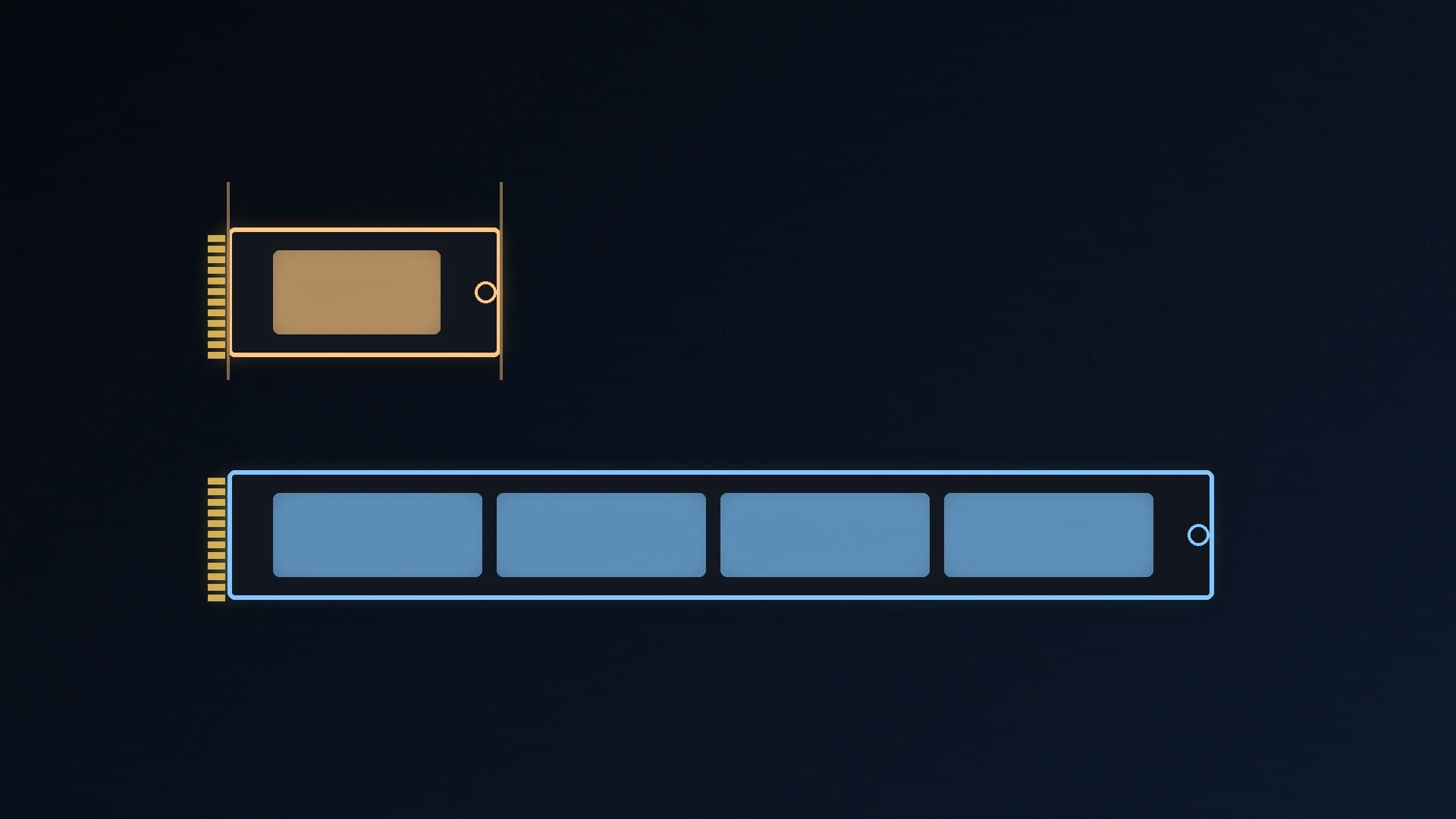
M.2 2230 SSDs are 22mm wide and 30mm long, less than half the length of the 2280 drives used in most desktops. They're the standard in handheld gaming PCs such as Valve's Steam Deck and ASUS's ROG Ally, and in some compact laptops. If your handheld is full of games, a bigger 2230 drive is one of the most useful upgrades you can make. These picks are based on manufacturers' published specifications. Forge PC hasn't tested these drives, and we don't quote prices because SSD prices are moving quickly ahead of Black Friday on 27 November.
Quick picks
Pick | Drive | Capacities | Max sequential read (maker) | Compatibility named by maker |
|---|
Best overall | Crucial P310 2230 | 1TB, 2TB (DB) | Up to 7,100MB/s | Steam Deck, ROG Ally, MSI Claw, Surface, select Dell |
Best for endurance details | WD_BLACK SN770M | 500GB, 1TB, 2TB | Up to 5,150MB/s (1TB/2TB) | ROG Ally, Steam Deck, Surface, many Dell models |
Also consider | Corsair MP600 MINI | 1TB, 2TB | (see Corsair) | Steam Deck, Microsoft Surface |
Before you buy: check your device
Confirm it takes a 2230 drive. Look at your device maker's specs or manual. A 2280 drive won't fit a 2230 slot. Our M.2 2230 vs 2280 explainer covers the sizes.
PCIe 4.0 drives work in PCIe 3.0 slots. WD says the SN770M is backwards compatible with PCIe Gen3, at Gen3 speeds.
Plan the move. You'll need to reinstall the operating system or clone your old drive. Our free SSD cloning guide covers cloning.
Best overall: Crucial P310 2230
Crucial's P310 2230 is a PCIe Gen4 NVMe drive rated for sequential reads of up to 7,100MB/s and random reads of up to 1 million IOPS, which are the highest headline figures among our picks. Crucial says it's compatible with certain handhelds, including the Steam Deck, ASUS ROG Ally and MSI Claw, and certain laptops such as Microsoft Surface and selected Dell models. Crucial notes these are typical figures measured with CrystalDiskMark on a fresh-out-of-box drive, and that system variations will affect results. The 1TB and 2TB versions are already in the Forge PC specs database.
Best for endurance details: WD_BLACK SN770M
WD's SN770M publishes the most complete spec sheet of our picks. Its data sheet lists:
| 500GB | 1TB | 2TB |
|---|
Sequential read | 5,000MB/s | 5,150MB/s | 5,150MB/s |
Sequential write | 4,000MB/s | 4,900MB/s | 4,850MB/s |
Endurance (TBW) | 300TB | 600TB | 1,200TB |
It uses PCIe Gen4 (up to four lanes), TLC NAND and WD's nCache 4.0 caching, supports Microsoft DirectStorage, and has a five-year limited warranty (or until the TBW limit is reached). WD names the ASUS ROG Ally and Steam Deck as compatible handhelds. It's slower on paper than the P310, but for loading games on a handheld, 5,150MB/s is plenty.
Also consider: Corsair MP600 MINI
Corsair's MP600 MINI is a PCIe 4.0 x4 NVMe 1.4 drive with 3D TLC NAND, sold in 1TB and 2TB versions. Corsair describes it as ideal for the Steam Deck and Microsoft Surface, and includes a thermal pad for Surface installations. Corsair's product page didn't show the full speed table in our fetch, so check its official figures before comparing it with the other two.
Which capacity?
Get the largest you can afford, because modern games are big. Valve also lists a microSD card slot on every Steam Deck if you need extra space. A 1TB drive is a sensible minimum for a Steam Deck or ROG Ally upgrade, and 2TB means you'll rarely need to uninstall games. For a desktop PC, buy a 2280 drive instead: see our best 1TB SSD and best 2TB SSD guides.
Our verdict
The Crucial P310 2230 is our pick for most handheld upgrades: Crucial rates it at up to 7,100MB/s and names the Steam Deck, ROG Ally and MSI Claw as compatible. The WD_BLACK SN770M is a strong alternative with a full published spec sheet (5,150MB/s reads, 600TBW at 1TB, 1,200TBW at 2TB and a five-year warranty), and the Corsair MP600 MINI is worth comparing. Check that your device takes a 2230 drive, and plan to clone or reinstall before you swap it.