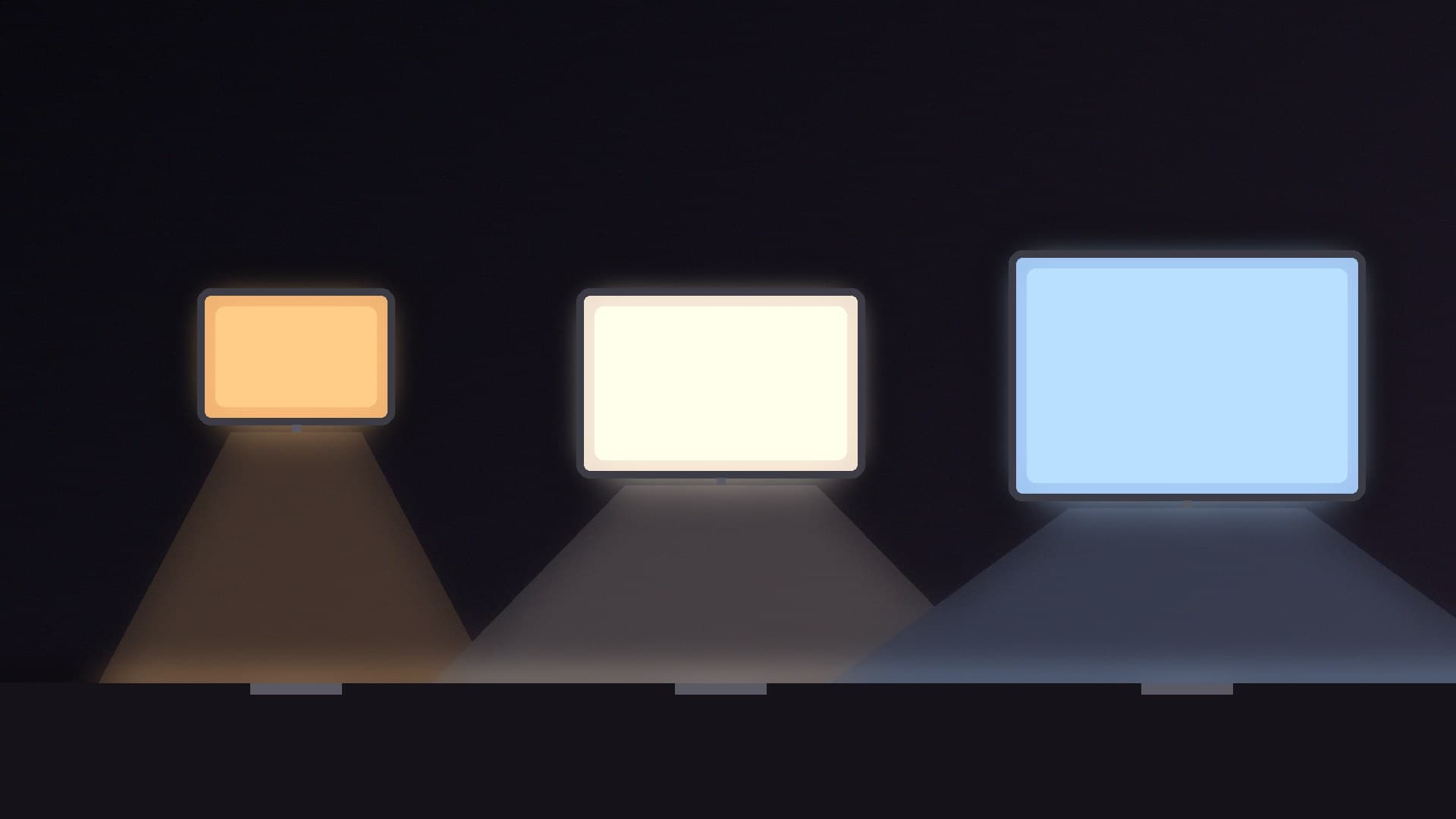
A webcam is only as good as the light falling on your face, and a dedicated light panel is often a bigger improvement than a new camera. Elgato's Key Light family is one of the most common choices for PC streaming and video-call setups because the lights can be controlled from a PC, phone or Stream Deck. The current UK line-up has three models, and the right one depends mostly on your desk, how far the light sits from you and how you'll power it. This guide compares them using Elgato's UK product pages and specifications. Brightness figures below are Elgato's own.
Prices are approximate Elgato UK store list prices checked on 25 November 2026, during Black Friday promotions, and may change.
Quick picks
| Key Light Neo | Key Light Air MK.2 | Key Light |
|---|
Best for | Video calls, small desks, monitor mounting | Most streaming desks | Larger rooms, multi-light studio setups |
Max brightness (Elgato) | 1,000 lumens (with a 3A power supply) | Up to 2,100 lumens (depending on power source) | 2,800 lumens |
Colour temperature | 2900-7000K | 2900-7000K | 2900-7000K |
CRI (Elgato) | >94% | >94% | >94% |
Power | USB-A, USB-C or 3A power supply; up to 15W | USB-C, power adapter or battery bank; up to 30W | Power adapter (included); up to 45W |
Panel size | Compact | 319 x 207 x 33mm | 350 x 250 x 35mm |
Weight (light only) | 246g | 735g | 1,300g |
Mounting | Monitor mount with 1/4" thread; stand and clamp sold separately | Desk clamp, 60-88cm height; 3x 1/4" threads and MagSafe ring | Desk clamp, 55-125cm height; 4x 1/4" threads |
Approx. UK price (Elgato store, 25 Nov 2026) | from £89.99 | £129.99 (with mount option) | £159.99 |
Best for most streaming desks: Key Light Air MK.2
The Key Light Air MK.2 is the sensible middle choice. Elgato describes it as a "15-inch LED panel" that produces up to 2,100 lumens, with edge-lit LEDs hidden behind the frame for softer light, a colour temperature range of 2900 to 7000K and a CRI above 94%.
Its most practical feature for PC users is flexible power. It runs from USB-C, a power adapter or a battery bank. Plugged into a computer, Elgato says it delivers "around 400 lumens, more than enough for most desk setups", and you need a stronger supply to reach the full 2,100 lumens. Elgato's spec table lists up to 30W power consumption, and its accessories list shows the P30 Power Supply as sold separately, so check what you have before relying on maximum brightness.
The MK.2 also adds onboard touch controls, which Elgato says let you adjust brightness and colour temperature and save presets on the light itself, without the app or Wi-Fi. It clamps to the desk with a mount that sets it between 60 and 88cm high, and has three 1/4-inch threads and a MagSafe ring on the back. In the box, Elgato lists the light, a 250cm USB-C to USB-C cable and the desk mount with clamp.
Choose it if: you stream or record at a desk and want enough brightness to work as your main light, without a full-size panel.
Best compact pick: Key Light Neo
The Key Light Neo is the smallest and cheapest current model, and the one to choose if you mainly need to look better on video calls. Elgato describes it as a compact LED panel that mounts on your monitor or desk, and it comes in white or black, with or without a mount.
Its brightness depends heavily on how you power it. Elgato's specifications list 400 lumens from USB-A (4.5W), 700 lumens from USB-C (7.5W) and 1,000 lumens from a 3A power supply (up to 12W). It shares the 2900-7000K range and >94% CRI with the larger lights, weighs 246g and connects by USB-C or Wi-Fi (2.4GHz and 5GHz). The box includes a USB-C to USB-A cable, a USB-A extension, a USB-A to USB-C adapter and a monitor mount with a 1/4-inch thread. Elgato sells a stand and a clamp separately at £34.99 each (approximate, 25 Nov 2026).
Choose it if: you sit close to your screen, want a light on top of the monitor, or have no room for a clamp arm. Use a USB-C port or a power supply rather than a USB-A port if you want more than Elgato's 400-lumen USB-A figure.
Best for bigger setups: Key Light
The full-size Key Light is Elgato's brightest and largest panel, at 2,800 lumens from 160 edge-lit OSRAM LEDs, according to Elgato. It uses an included power adapter and draws up to 45W. The panel measures 350 x 250 x 35mm and weighs 1,300g, so it's a noticeably bigger object on the desk.
Its mount is the most flexible: Elgato's desk clamp sets it anywhere from 55 to 125cm high, and the clamp opens up to 6cm and is padded. There are four 1/4-inch threads around the panel edges for other mounts.
Choose it if: you sit further from the light, light a larger area, or are building a two-light setup where one panel acts as the main light.
What about Key Light Mini?
Elgato's UK store lists the battery-powered Key Light Mini as discontinued. If you need a light away from mains power, the Key Light Air MK.2 can run from a battery bank, according to Elgato.
Things to check before you buy
Your power source. The Neo and the Air MK.2 both run brighter on a dedicated supply than from a PC's USB port, according to Elgato's figures.
Where it will mount. A monitor-top light (Neo) works without a free desk edge; the clamp-mounted Air MK.2 and Key Light need a desk edge, and Elgato quotes a clamp opening of up to 6cm for the Key Light.
Control. Elgato's pages list app control from a computer or phone, and the Key Light and Air MK.2 pages say they work with Stream Deck. If you already use one, see our best Stream Deck guide.
Your camera. Better light helps any webcam. Our best webcam guide and how to adjust webcam settings in Windows 11 help you get the rest of the image right, and webcam vs mirrorless camera for streaming covers the next step up.
Our verdict
For most PC streaming desks, the Elgato Key Light Air MK.2 is the one to buy: up to 2,100 lumens, USB-C power, onboard touch controls and a desk clamp, at about £129.99 from Elgato UK (25 Nov 2026). Choose the Key Light Neo (from about £89.99) if you mainly want better video calls from a monitor-mounted light, and power it from USB-C or a power supply rather than USB-A. The full-size Key Light (about £159.99) is for larger setups that need its 2,800 lumens and 125cm mount height.