AMD has quietly released a firmware update for AM5 motherboards that limits the maximum core voltage (vCore) on some Ryzen 8000-series desktop processors to 1.4 V. The change arrives in AGESA ComboAM5 PI 1.3.0.1f Patch A, the AMD firmware code that motherboard makers build into their BIOS updates, and it's now appearing in BIOS release notes from MSI and ASUS. This report is based on TechPowerUp's coverage of the board makers' release notes and on independent reporting from Igor's Lab, both linked in the sources.
What has changed?
According to TechPowerUp, AGESA 1.3.0.1f Patch A "primarily introduces a 1.4 V maximum core voltage limit for select Ryzen 8000-series processors". Both ASUS and MSI have noted the restriction in release notes for their AM5 motherboards.
The key word is "select". Neither AMD nor the board makers have published a list of exactly which Ryzen 8000 models are covered, so it isn't yet possible to say whether every Ryzen 8000 desktop chip gets the cap. TechPowerUp says AMD released the patch quietly, and AMD hasn't publicly explained why the limit has been added. We'd treat any claims about the reason, or about a measurable change in performance, as speculation until AMD or a board maker says more.
It's also worth being clear about what this limit is. vCore is the voltage supplied to the processor cores. It's a separate setting from SoC voltage, which feeds other parts of the chip, including the memory controller. The release notes quoted by TechPowerUp and Igor's Lab refer to the core voltage.
Which processors are we talking about?
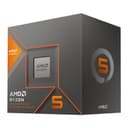
The Ryzen 8000 desktop range sits on the same AM5 socket as the Ryzen 7000 and Ryzen 9000 chips, but it's built differently. AMD's own spec page for the Ryzen 5 8400F, for example, lists the "Phoenix" codename, a single 4nm die, 16 MB of L3 cache and PCIe 4.0, where AMD's Ryzen 5 7500F from the Ryzen 7000 series supports PCIe 5.0. Six-core Ryzen 8000 chips such as the 8400F are among the cheaper ways into AM5, so they turn up in plenty of budget builds.
If you have a Ryzen 7000 or Ryzen 9000 processor, the release notes don't say this change applies to you. The Ryzen 8000-specific voltage limit is the only CPU-specific change mentioned in the coverage we've seen.
Which BIOS updates include it?
TechPowerUp reports that MSI's MEG X870E GODLIKE X EDITION received BIOS version 2A36 on 18 November, which includes AGESA ComboAM5 PI 1.3.0.1f Patch A. MSI's changelog specifically mentions limiting the maximum vCore to 1.4 V for select Ryzen 8000-series CPUs.
ASUS has documented the same changes in beta BIOS releases for several AM5 motherboard families, including X870, X670, B850 and B650 models across its ROG Crosshair, ROG Strix, TUF Gaming and ProArt ranges, according to TechPowerUp. Igor's Lab lists a selection of those ASUS beta BIOS versions, for example version 2603 for the ROG Crosshair X870E Hero and 4103 for the ROG Crosshair X670E Hero, and stresses that each BIOS file is specific to one board model.
We haven't seen announcements from Gigabyte or ASRock about this patch at the time of writing. Other board makers usually roll the same AGESA code into their own BIOS updates over time, but the timing varies by maker and model.
The same update also adds memory-training progress codes
The vCore cap isn't the only change in this AGESA release. TechPowerUp says it also adds extra POST codes during DDR5 memory training, so you can tell normal start-up activity apart from a system that has stopped responding. On supported ASUS boards, the debug display counts from 00 to 09, advancing about once a second, then returns to 00 and carries on booting. We covered that part of the update in more detail in our report on ASUS's AM5 beta BIOS that shows DDR5 training progress.
What should Ryzen 8000 owners do?
There's no need to rush, but it's worth checking. Here's a sensible approach:
Find out exactly which motherboard you have. BIOS files are specific to each board, so you need the exact model name and revision. Our guide to checking your motherboard model in Windows 11 shows how.
Check your current BIOS version. Compare it with the versions listed on your motherboard's support page.
Read the release notes. Look for "AGESA ComboAM5 PI 1.3.0.1f Patch A" and any mention of the Ryzen 8000 vCore limit. Note whether the BIOS is a stable release or a beta.
Decide whether to wait for a stable release. Beta BIOSes are early versions. If your PC is working well, waiting for a stable release from your board maker is a reasonable choice.
Update carefully. If you do update, follow our guide to updating your BIOS safely. The first boot may take longer while the memory retrains, as Igor's Lab notes AM5 systems sometimes do after a BIOS update. Afterwards, check that EXPO and any other settings you rely on are still set the way you want.
If you've manually set a high core voltage on a Ryzen 8000 chip, be aware that a BIOS with this patch may not allow vCore above 1.4 V on affected models. For most people running stock settings, the cap is unlikely to be something they notice, though no independent testing has been published yet to confirm that either way.
Why this matters for UK builders
Ryzen 8000 chips such as the Ryzen 5 8400F are a common route into cheaper AM5 gaming PCs, so a firmware change aimed at them could reach a lot of UK systems. The good news is that, because it arrives through a normal BIOS update, the fix costs nothing and doesn't require new hardware. The less good news is that, as usual with AMD's firmware changes, the details are spread across board makers' release notes rather than published in one place, so you'll need to check your own board's support page.
Our verdict
If you have a Ryzen 8000 desktop processor in an AM5 PC, keep an eye on your motherboard maker's support page for a BIOS with AGESA ComboAM5 PI 1.3.0.1f Patch A. MSI and ASUS have already started shipping it, ASUS mostly as beta versions, and the release notes say it limits core voltage to 1.4 V on select Ryzen 8000 chips. AMD hasn't said which models are affected or why, so don't assume a problem with your PC. If you run stock settings and everything is stable, it's fine to wait for a stable BIOS and then update carefully.