NVIDIA RTX Remix is an open-source modding platform for remastering classic PC games with path-traced lighting and new, higher-quality assets, including textures upgraded with AI. You can use it in two ways: install the Runtime to play mods other people have made, or install the Toolkit to make your own. This guide follows NVIDIA's official RTX Remix documentation and GitHub repository.
What RTX Remix is
NVIDIA describes RTX Remix as a platform built on NVIDIA Omniverse for remastering DirectX 8 and 9 games that use fixed-function pipelines. It has two parts:
The RTX Remix Toolkit, an application for adding lights and remastered assets to a captured game scene. It includes AI tools that connect to ComfyUI, so modders can run AI workflows (for example on textures) from inside the Toolkit.
The RTX Remix Runtime, which captures classic game scenes, injects the remastered assets back into the game as you play and relights it with path tracing.
Will your PC run it?
NVIDIA says you need an RTX-powered PC. Its documentation lists:
| Minimum | Recommended |
|---|
Operating system | Windows 10 | Windows 11 |
CPU | Not specified | Intel Core i7-13700K / AMD Ryzen 7 7700X |
RAM | Not specified | 32GB |
GPU | Any RTX GPU | GeForce RTX 4070 |
VRAM | Not specified | 12GB |
Storage | Not specified | 10GB NVMe SSD |
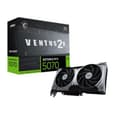
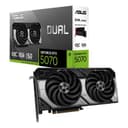
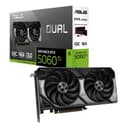
NVIDIA recommends a GeForce RTX 4070 or higher for the best experience. Current cards in our database with at least the recommended 12GB of VRAM include the MSI RTX 5070 12GB Ventus 2X OC, ASUS RTX 5070 12GB Dual OC and ASUS RTX 5060 Ti 16GB Dual OC.
Will your game work?
Not every old game works. NVIDIA's compatibility page says:
RTX Remix replaces DirectX 9 and doesn't directly support OpenGL or older DirectX versions, although wrapper libraries can translate some DirectX 8 or OpenGL games to fixed-function DirectX 9.
Games released between 2000 and 2005 are the most likely to be compatible. Games released after 2010 generally aren't, unless they've been modified.
DirectX 8 and early DirectX 9.0 games are more likely to work. DirectX 9.0c games are usually mostly shader-based and probably won't.
If a game could run on a GeForce 2 (a fixed-function-only card), it's likely to be fixed function.
The ModDB community keeps a compatibility table of games known to work, with the last tested Runtime version and configuration files.
Option 1: Play Remix mods (install the Runtime)
NVIDIA says you only need the RTX Remix Runtime to play mods, and you can find pre-made mods on sites such as ModDB.
Check whether the game is 32-bit or 64-bit. NVIDIA says most DirectX 9 games are 32-bit. If you're not sure, run the game, open Task Manager, go to Details, right-click a column header, choose Select columns and enable Platform.
Download the Runtime. Get the latest release from NVIDIA's RTX Remix GitHub page: the rtx-remix-for-x86-games package for 32-bit games, or rtx-remix-for-x64-games for 64-bit games. If you've installed the Toolkit, the Runtime is already in its deps\remix_runtime\runtime folder.
Copy the files next to the game's .exe. Copy the contents of the Runtime folder into the folder that contains the game's executable, so d3d9.dll (and, for 32-bit games, the .trex folders) sit next to it. Let it replace any existing d3d9.dll. Some games look for d3d9.dll elsewhere; NVIDIA says Source engine games, for example, look in the bin folder.
Start the game. NVIDIA says you should see a "Welcome to RTX Remix…" message at the top of the screen with hotkey information. Press Alt + X to open the Remix settings menu.
NVIDIA says the Toolkit includes the Runtime, so you don't need to install it separately.
Go to the RTX Remix website and follow the instructions to download and install the NVIDIA app.
Open the NVIDIA app and install RTX Remix from there.
NVIDIA also offers prebuilt development packages on GitHub for the latest, potentially unstable features. Its documentation suggests extracting those to a short path such as C:\rtx_remix to avoid Windows path-length limits, then running lightspeed.app.trex.bat to start the Toolkit.
To use the AI tools, NVIDIA's guide says you need an NVIDIA GPU with at least 8GB of VRAM (12GB or more recommended), a working ComfyUI installation with ComfyUI Manager and the RTX Remix Node Pack, and then you connect the Toolkit to ComfyUI. NVIDIA lists tasks such as PBR texture generation, upscaling, style transfer and mesh processing. Our guide to installing ComfyUI on Windows covers the first step.
If you have an RTX card, you may also want our guides to the DLSS override in the NVIDIA app and NVIDIA's G-Assist AI assistant.